
Links, Switches and Rates
Your radio is the one thing you keep when everything else gets upgraded or crashed. And in FPV the radio LINK matters as much as the radio.
The Radio
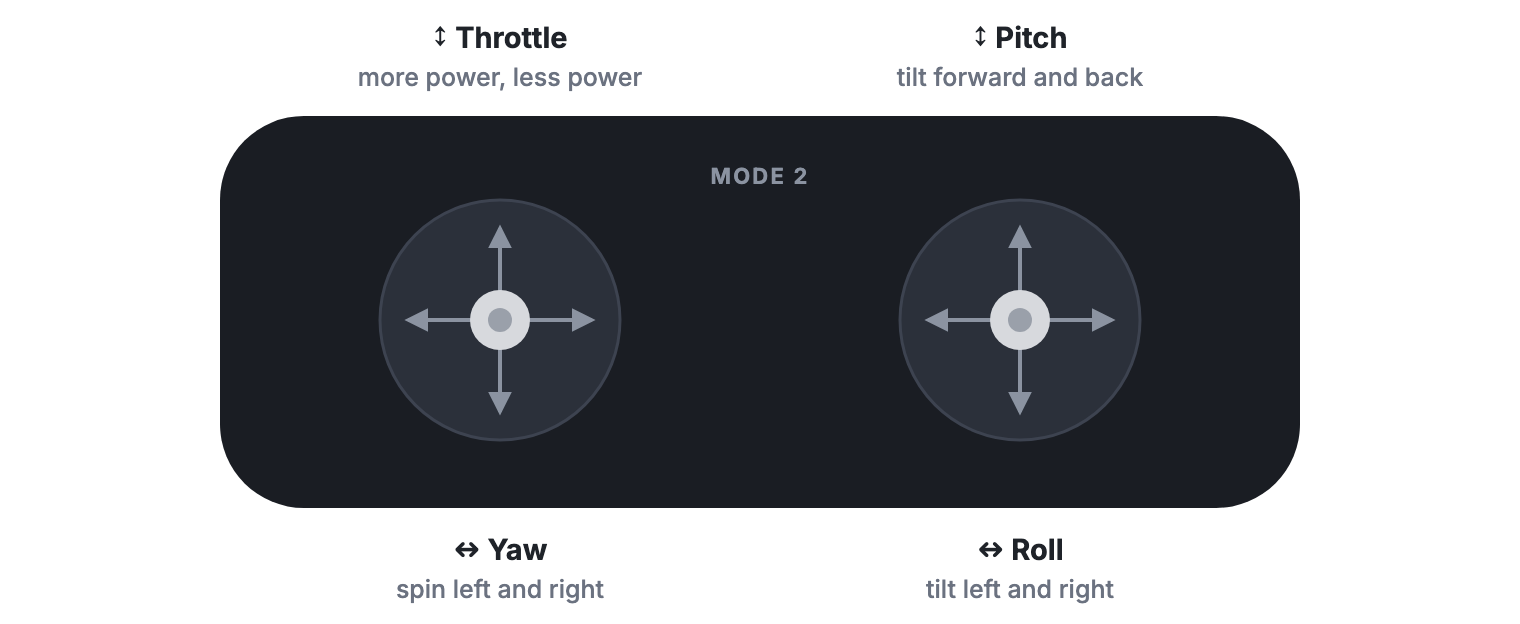
Any modern multi-protocol radio will do, full size or gamepad style. Get one with good gimbals, because your thumbs live there. It should plug into a computer as a joystick so you can fly the simulator with it.
The Link
The transmitter and the receiver in the quad have to speak the same radio link. There are several, and they do not mix. Buy the one your local pilots use. Then every ready built quad you buy should come with that receiver.
The Switches You Need
- Arm: the motors cannot spin unless this is on. It is your safety. Disarm the instant you crash.
- Flight mode: angle (self-leveling) for your first hovers, acro (no leveling) for everything after. Real FPV is flown in acro.
- Buzzer: to find it in the grass.
- Turtle mode: flips an upside down quad back over so you do not have to walk.
Rates
Rates set how fast the quad rotates for a given stick push. Start with soft rates and a gentle center. Fly the same rates in the simulator and on the real quad, or your thumbs will learn two things.
Failsafe
If the link drops, the quad does what you told it to in advance. The standard answer is motors off: it falls where it is rather than flying away under power. With GPS on board you can set a rescue that brings it back toward you. Either way, TEST it with the props off before you trust it.
What You See in the Goggles
Put battery voltage, flight time and link quality on screen. They are your fuel gauge and your warning lights.
Stuck on setup? Ask in Need Advice and name your radio and your link.